How to create a song to play on the GBA
I needed to make music for my GBA game, and I had no idea how. Here is the blog post I wish existed before I started.
Oh and a heads up, I use libtonc for my GBA game, so all code in this post uses it too.
The GBA's audio hardware
Since the GBA is backwards compatible with the original Game Boy and Game Boy Color, it has very similar sound hardware. The four channels of the OG GB are here, largely unchanged. GBA games can access and use these channels to get a sound range virtually identical to the original Game Boy.
Beyond these four channels, it also has two PCM channels for playing samples. These two additional channels are where the bulk of GBA games make their music (and sound effects). It is through digital samples that richer instruments, speech and more are possible. Each of these channels has a FIFO where it grabs the sound data from, and it's up to the game to ensure these sound streams remain fed. The game and main CPU must do the mixing, fading, reverb, etc of the audio, there is no dedicated audio CPU like on most consoles of the era. Generally speaking, the higher quality the audio, the more demand on the CPU. This is one reason many GBA games have "scratchy" low quality audio. Pushing around less audio data gives the CPU more time to focus on the game.
Creating a song - PSG, PCM, or both?
When creating a song to play on the GBA, you first need to decide if you are going to use PSG audio (the four original channels from the original Game Boy), PCM audio (the two sampling channels), or both. The main tradeoffs are storage requirements and CPU usage. PSG music requires less space, and very little cpu, but can only sound like an original Game Boy.
If going the PSG route, gbt-player looks very promising. I've never used it myself though.
For the PCM route, the go-to in the GBA homebrew scene is Maxmod.
To do a blend of both, gbt-player can co-exist with Maxmod, for potentially the best of both worlds. But again I've never used it, so I don't really know.
Getting Maxmod going
Maxmod is an audio engine for the GBA, commonly used by homebrew games. If you have setup your GBA project using DevKitPro, it should already be setup in your Makefile and ready to go.
To get started, throw a wav file into your game's audio directory, then build the game using make. It should generate soundbank.bin and soundbank.h in your build directory.
Then to play the sound effect, call Maxmod in your game.
#include irq_init(NULL); irq_set(II_VBLANK, mmVBlank , mmInitDefault((mm_addr)soundbank_bin, mmEffect(SFX_CLOCKCHIME);
while VBlankIntrWait(); mmFrame(); }
return If you look in this code, I'm doing a few things to initialize Maxmod and pump it every frame. This example walks through the initialization that I am glossing over.
If you hear you're sound effect, you should be good!
Playing a song
Maxmod works with tracker files for songs, and I have found the best tracker file format to use is .it files, made by Impulse Tracker. Impulse Tracker is an old tracker from back in the day, and runs in DOS. There is a modern recreation of it called Schism Tracker. It runs on modern machines and works with .it files, but I found files made by Schism Tracker cause Maxmod to crash. Instead, it seems like the GBA community mostly uses OpenMPT, another tracker that also has .it file support. Files made with OpenMPT have worked great for me in Maxmod.
If you look around, there are .it files out there you can play with. Here is an .it song that is part of an open source port of Pico Celeste to the GBA (how cool is that??).
Drop that file into your audio directory, and make your game again. Maxmod should detect the .it file and extract the samples out of it. You should see this in your build output.
...sample snd9_8 is at 1040/436 of 47864 sample snd10_8 is at 1052/440 of 47864 sample snd11_8 is at 1064/444 of 47864 sample snd12_8 is at 1076/448 of 47864 sample snd13_8 is at 1088/452 of 47864 sample snd15_8 is at 1100/456 of 47864 sample snd16_8 is at 1112/460 of 47864 sample snd18_8 is at 1124/464 of 47864 sample snd19_8 is at 1136/468 of 47864 sample snd20_8 is at 1148/472 of 47864 ...Those samples are wav files that are embedded in the .it.
Now that Maxmod has processed the file, it is included in soundbank.h, so you can play it.
#include ... mmStart(MOD_MUS2, MM_PLAY_LOOP );Creating a song
Now with the coding stuff out of the way, the rest of this post will walk through how I made a GBA version of Chopin's Watz in A minor.
Finding a song to work with
If you're not a musician—which I am not—you probably need to rely on already written songs. Here creative commons and classical music are your friends, as both can be used without any copyright or royalty issues to worry about. I searched around and explored classical music until I settled on this song by Chopin. What's really awesome about classical music is the website musescore, which often has your song as sheet music and playable. Here is Waltz in A Minor. That playback feature was very helpful!
If you are interested in more modern music, you can probably fine some. For example musopen has sheet music for many types of music, including stuff written this century.
Write down all the notes...
Like I said, I'm not a musician; I've not played an instrument since I was a little kid. I can juuuuuuuust barely read music, thankfully my wife was able to help me here. I printed out the sheet music for the Waltz, and a cheatsheet, then proceeded to write down all of the notes of the song.
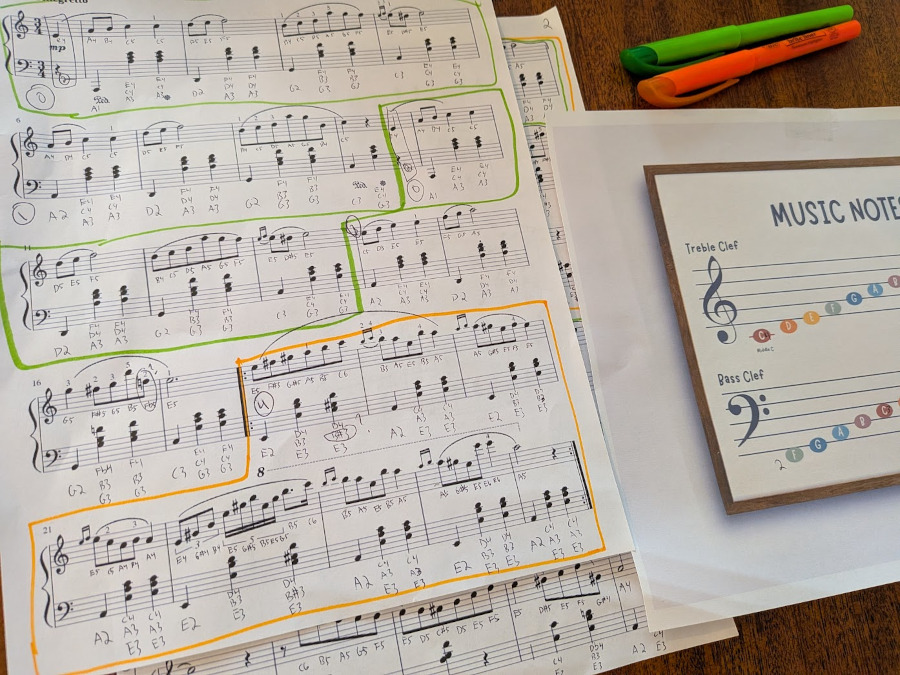
For each note, I wrote which note it is (A, B, C, etc) and which octave it is. Middle C is octave four, so it is written as C4. Some notes are sharps, and I also noted that. One tricky thing that threw me a lot is once a particular note is denoted as sharp, it remains a sharp throughout that measure unless otherwise stated. If you are playing back your song later and it sounds "off", missing a sharp is a common reason why (or at least, was for me...)
Get some samples to work with
Before we jump into the tracker, we need samples. If you search around, there are a lot of public domain/royalty free samples. I found pianobook to be an awesome resource for this. They have all kinds of samples, and plenty for traditional instruments such as pianos, violins, etc.
For more out there and modern stuff, I found legowelt's samples to be a good resource. You really just need to search around, they are out there.
For this Waltz, I settled on a piano sample I got from Shyam Ananthapadhmanabhan on pianobook. In particular I ended up using 007_G#3_forte_sustained.wav.
Fire up OpenMPT
Now we are ready to start making a tracker version of Chopin's classic.
Launch OpenMPT and choose File > New > IT. You will be presented with an intimidating blank canvas to start with, with the General tab shown.
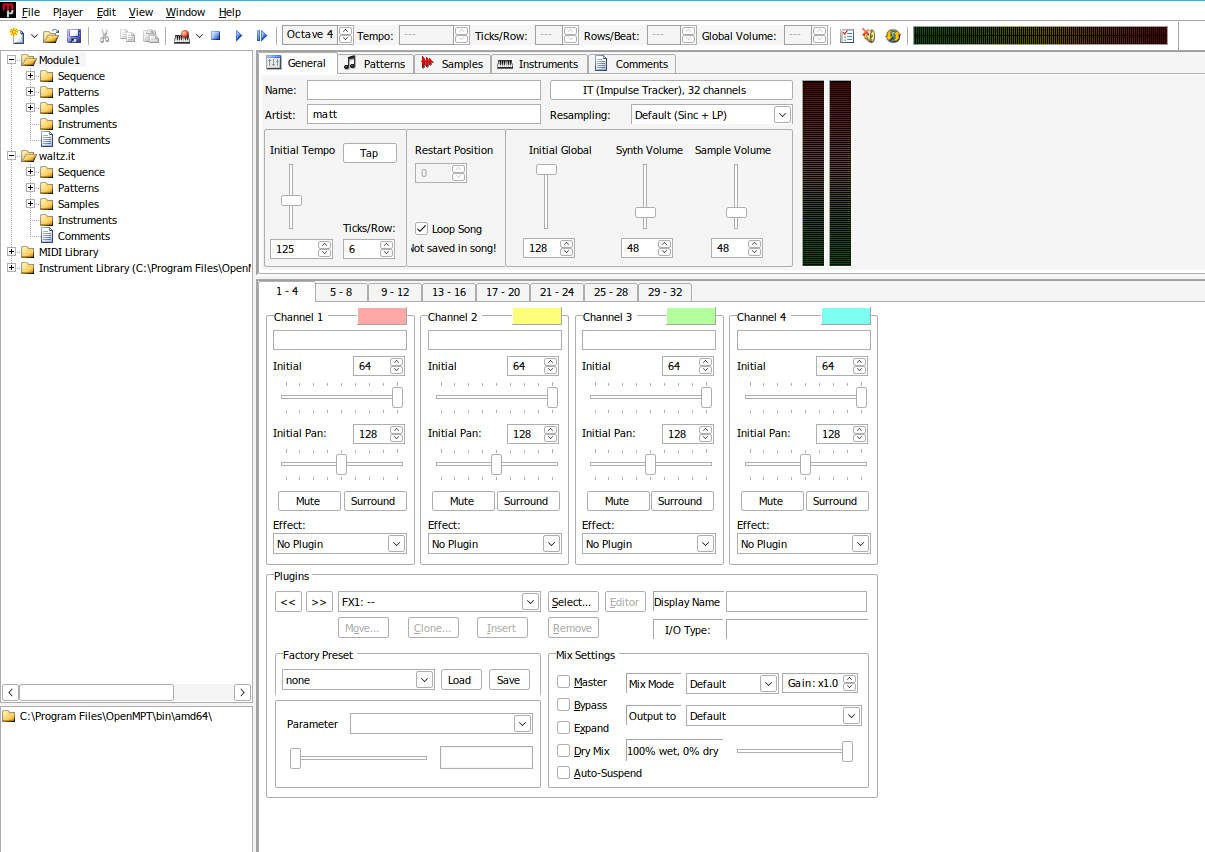
Head to the samples tab, and we'll load our piano sample.
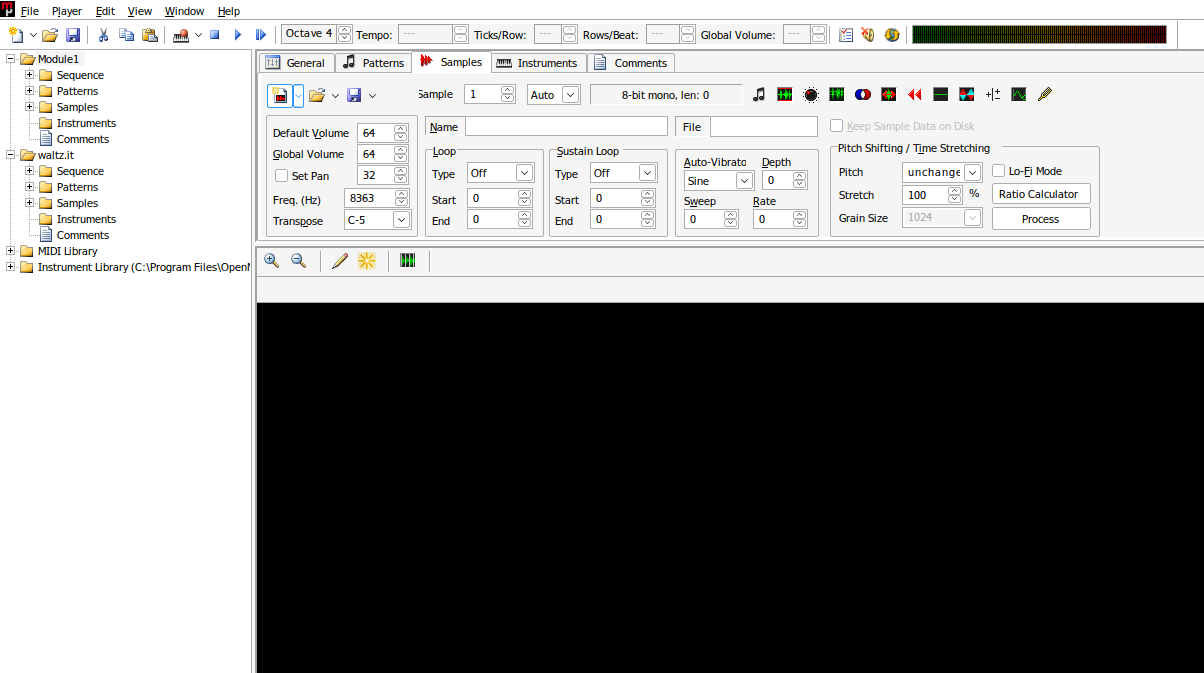
First click the "Insert Sample" button, it is the very first thing in the upper left corner of the tab. Technically I don't think this is necessary for the very first sample, but it will be if you add additonal samples. Now press the "Import Sample" button, which is the open folder. Navigate to your piano wav and choose it.
Fixing up the sample
This sample actually has a few problems, so let's just patch it up now as it will make our life easier. I use Audacity for this. I load the sample there and
- Switch it from stereo to mono
- Run the amplify effect on it and make it (much) louder (be careful not to cause distortion)
- Export it from there as a 44100hz, 16 bit sample
Incidentally, up above where you could play the sample, that is my patched up version. You can grab it here to avoid dealing with Audacity.
Click on the "Import Sample" button again, and this time load in the patched version.
It will now playback much louder in OpenMPT. The original sample was very quiet.
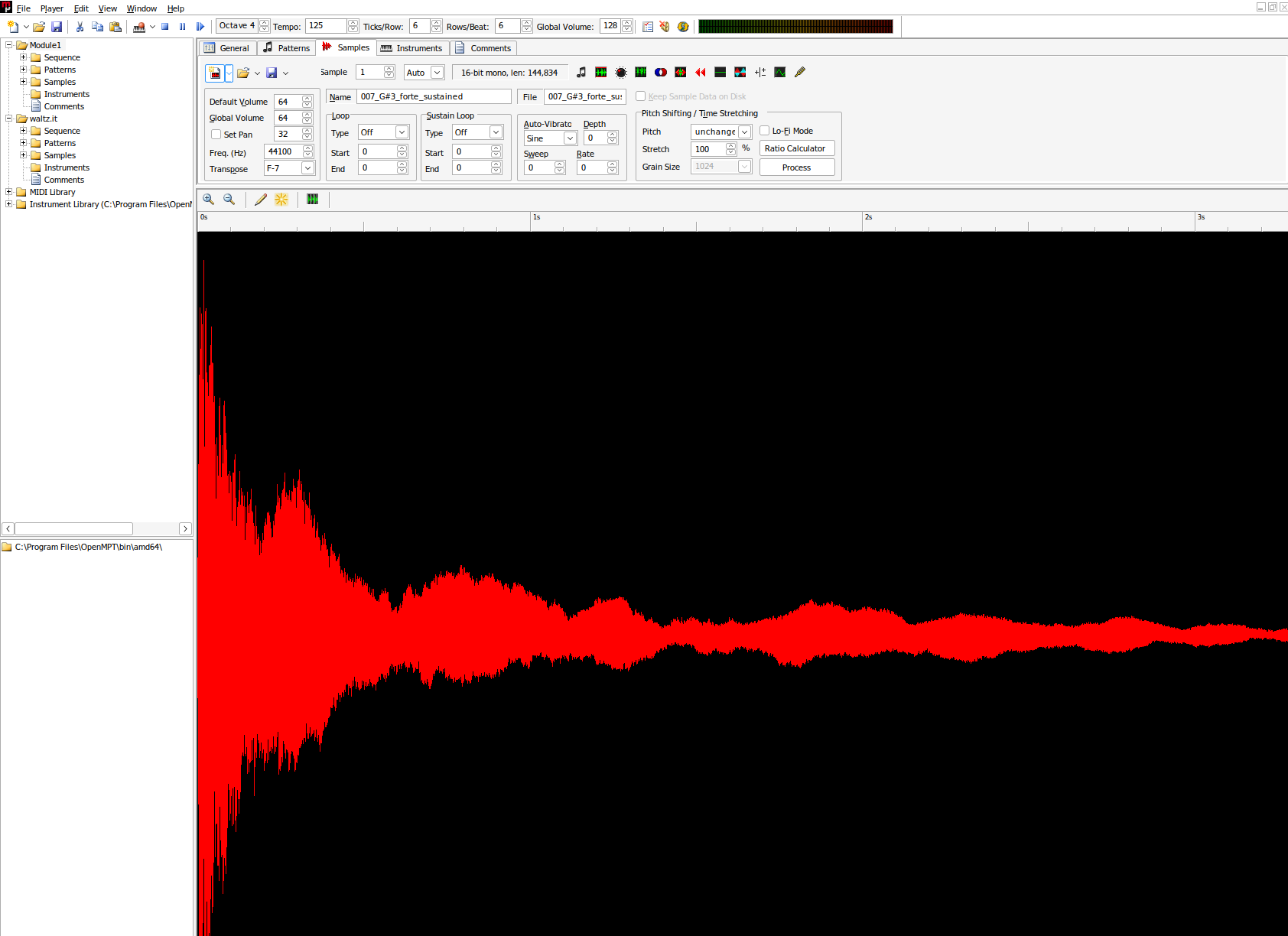
You can play the sample here by clicking the "Play Sample" button, which has a music note on it. You can also do many things to the sample here such as trim it, convert it from stereo to mono, and much more. OpenMPT is a very thorough, and very complex program. Could we have just patched the sample up here instead of using Audacity? Probably, but I'm a total newb to OpenMPT so one step at a time.
Create your first pattern
Head to the patterns tab.
OpenMPT is a tracker, a type of program that composes music in a very specific, and unique way. Unlike most video/audio programs, the progression is downward instead of to the right. It's kind of like a spreadsheet of notes.
There is a dropdown towards the top of the tab set to "No Instrument", go in there and set it to instrument 1, which is our sample.
Now click into the upper left corner of the "spreadsheet" to focus it. At this point, your computer keyboard is essentially a piano. Almost every key on your keyboard will drop a different note into the tracker.
Let's type in the first measure of the Waltz.
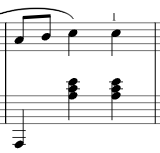
For treble, it is A-4, B-4, C-5, C-5.
To get an A-4, I hit the P key. Then move to the next row and hit the forward slash key to get a B-5, then press the 4 key to drop it from octave 5 to 4 (where is B-4 on the keyboard? beats me). Then C-5 is the A key.
Then for bass, add those notes in. E-4 is the T key. When you are done, it should look like this.
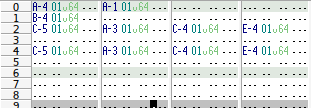
Notice how the two C-5s in the first column have a space between them? That is because the first two notes are 8th notes, and the C's are quarter notes.
Play it back
Press F6 to play your masterpiece. It's probably playing back very fast. For simplicity, head to the General tab, and change the Initial Tempo to 65. Then play it again and it should sound much more reasonable.
Load the result into your game
Now save the file as an .it somewhere, drop it into your game's audio directory, and make your game. You can then play your waltz just like you played the Celeste song earlier.
Draw the rest of the owl
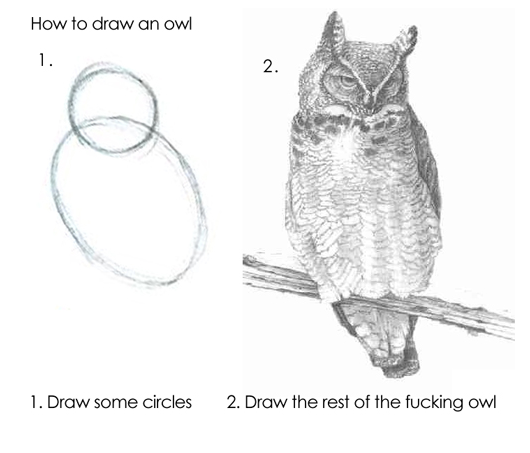
You should now know enough to get started. OpenMPT, and trackers in general, are very complicated programs that take a lot of effort to learn. There are ample resources out there about OpenMPT, and generally speaking I have found tutorials about trackers in general often have parts that will apply to OpenMPT, even if the tutorial is using a different tracker.
I trudged on and converted the entire Waltz into an .it file. It was a great learning experience, and now I feel ready to start adding more music to my game. The waltz may or may not be in the final version of the game :)
Oh and about those samples
Remember how we converted the sample to 44100hz, 16 bit? Internally the GBA can only handle 8 bit samples, and the higher the frequence (44100hz in this case), the more demanding the sample is on the GBA's cpu. This is a large topic all on its own, so I'll just leave you with a warning that ultimately you may want lower fidelity samples for your game.